


Jagex Accounts Closed Beta
 RuneNation
 Join our Learner PvM Discord
During our sneak peek stream at the end of the year, the Jagex Publishing Team dropped by to give us an update on Jagex Accounts and the benefits they offer, including improved account security. We’re now ready to bring this system to Closed Beta!
The Jagex Launcher
We’re delighted to see that so many of you are using the Jagex Launcher to play RuneScape.
If you’re unfamiliar, the Jagex Launcher is the easiest and most convenient way to play the game – it lets you access all our games seamlessly and securely, in one place and with the convenience of a single login. It also lets you add up to 10 different accounts and switch between them seamlessly!
If you'd like to try it out for yourself, you can download the Launcher here.

Jagex Accounts
If you’ve been keeping up with our plans for the Jagex Launcher, you’ll know that we plan to roll out Jagex Accounts over the coming months.
In fact, the first of several Closed Betas is scheduled to begin next week on January 26th. It will be invite-only as part of our ‘phased release’ approach, which aims to ensure the system is functional. To begin with, we plan to invite Player Moderators and other select players in the community. Once we’re happy with what we’re seeing in Closed Beta, we can invite more of you to test the system, before opening it up for everyone!
For now, let’s look at exactly what Jagex Accounts are and why they’re being implemented.
- Jagex Launcher: an app for Windows and MacOS that you can use to access RuneScape, Old School RuneScape, and any other games we release in the future!
- Jagex Account: the new account players will use to access our games. Jagex Accounts are based on a safe, secure set of authentication credentials using industry-standard technology.
- RuneScape Account: the account players currently use to access RuneScape and/or Old School RuneScape. One RuneScape Account equals one character in each game.
- Character: another term used for RuneScape Accounts. This is the term we'll use to describe a character profile within a game accessed via a Jagex Account. Currently, a user can have 10 characters per Jagex Account.
- Import Character: the process players will go through to permanently add their RuneScape Account to their Jagex Account.
- Upgrade Character: the initial act of creating a Jagex Account from a RuneScape Account, before importing other characters.
- Add Character: the process players can use to create a brand-new character.
- Jagex Account Name: the name chosen by a player to identify their Jagex Account. We'll use this when we communicate with you. It doesn’t have to be unique, because a 4-digit number will automatically be added to the end. It looks like this: PlayerName#1234. In future, this might be displayed in other games or used for friends and chat features on the Jagex Launcher.
- Character Name: the unique name chosen by a player to identify their RuneScape or Old School RuneScape character. This is the name already displayed in Chat, Friends Lists, HiScores, and more. This name won’t change when you switch to a Jagex Account.
Why Jagex Accounts?
Now that we’re all on the same page, let’s talk about why we’re launching a new account system.
Account security is a major concern for players and a core focus for us. The current system has reached the end of the road as our security solution. The new Jagex Account system will let us provide you with increased security, stability, and sustainability using modern, industry-standard technology. We’ll be able to keep bringing you more RuneScape for years to come without you worrying that your hard-earned stats and equipment will fall into the hands of hackers.
Jagex Accounts will use a different multi-factor authentication (MFA) integration to current RuneScape Accounts. When setting up MFA for your Jagex Account, you’ll be provided with 10 backup codes to use as your second factor if you lose access to your authenticator device. These codes will only be shown once and can only be used once each – so be sure to record them safely and securely!
To import a character to a Jagex Account, you’ll log in to that character and enter your authenticator details as usual. Once a character has been imported, the MFA for the associated RuneScape Account will no longer work – you’ll need to use the MFA associated with your Jagex Account.
You can still play multiple characters at once and make progress simultaneously, assuming all those characters are linked to your Jagex Account.
In short, the Jagex Account and Launcher is how we’re going to provide you with strong, modern account security – as well as an easier way to log in and manage multiple characters!
Jagex Account Betas
The first phase begins next week on January 26th, where we’ll be inviting Player Moderators and other selected players to try the Closed Beta. The reason we’re inviting so few players to begin with is so we can keep a much closer eye on their accounts as they go through the upgrade process. We’ll be carefully reviewing the data and acting on any feedback we receive to make sure everything is running smoothly before the Open Beta.
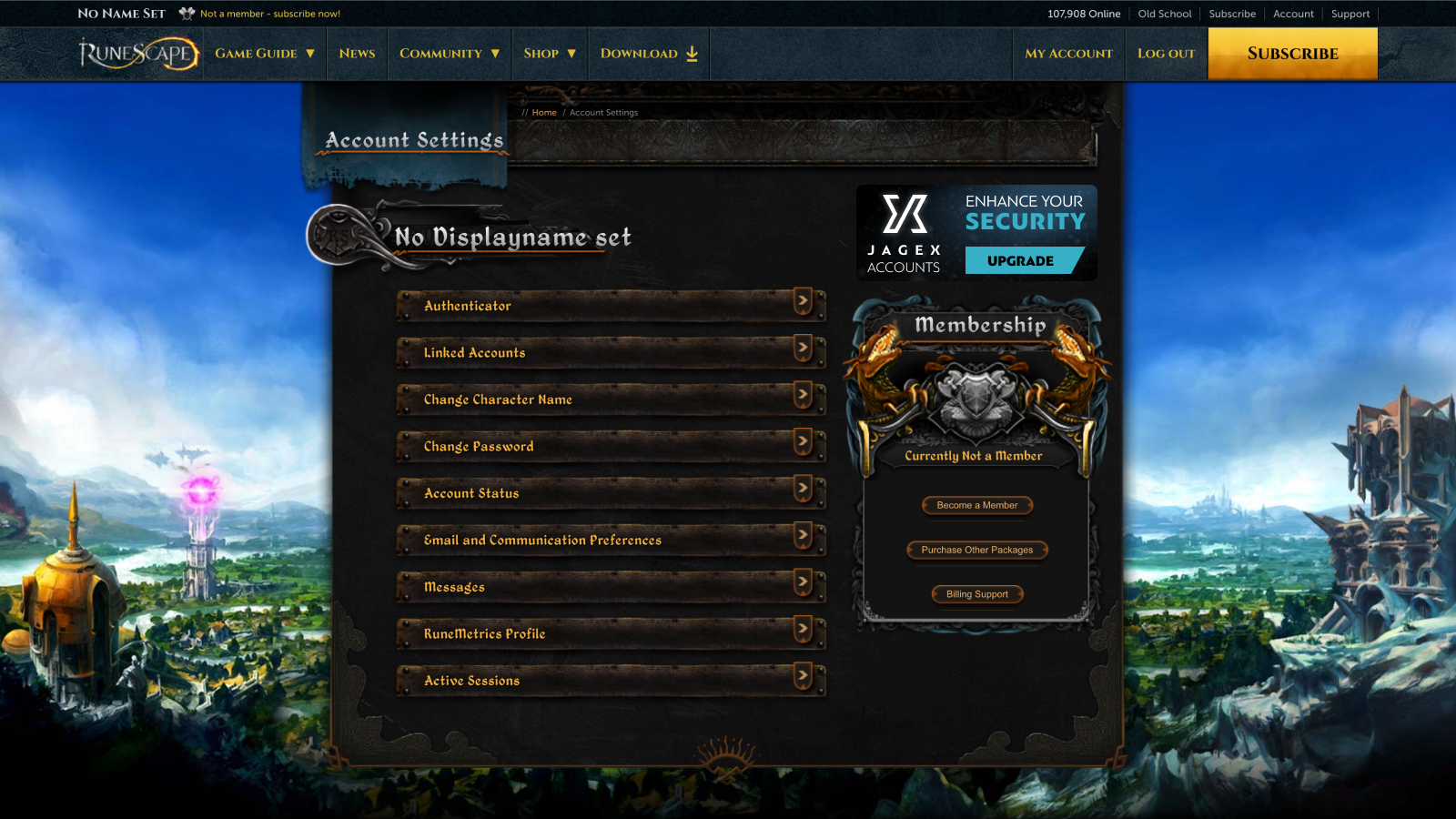
The invite will appear in the RuneScape Message Centre, which can be found in the Account Settings section of our website.
From there, you’ll be prompted to upgrade your RuneScape Account to a Jagex Account from the Account Settings menu on our website. You’ll want to click the button prompting you to create a Jagex Account and then log in. Once you’ve done that, whichever character received the invite will be imported and added to your Jagex Account. Hooray!
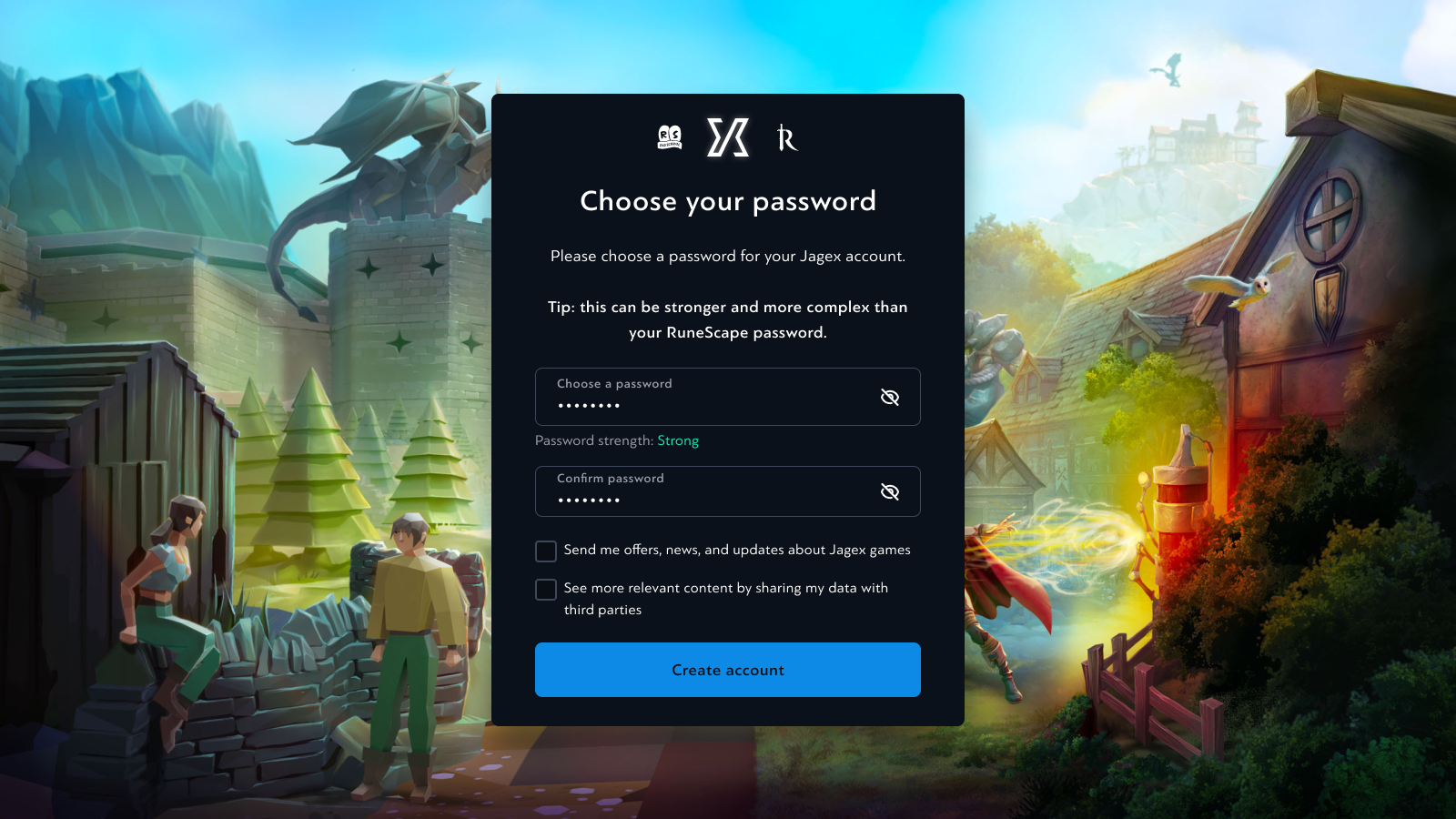
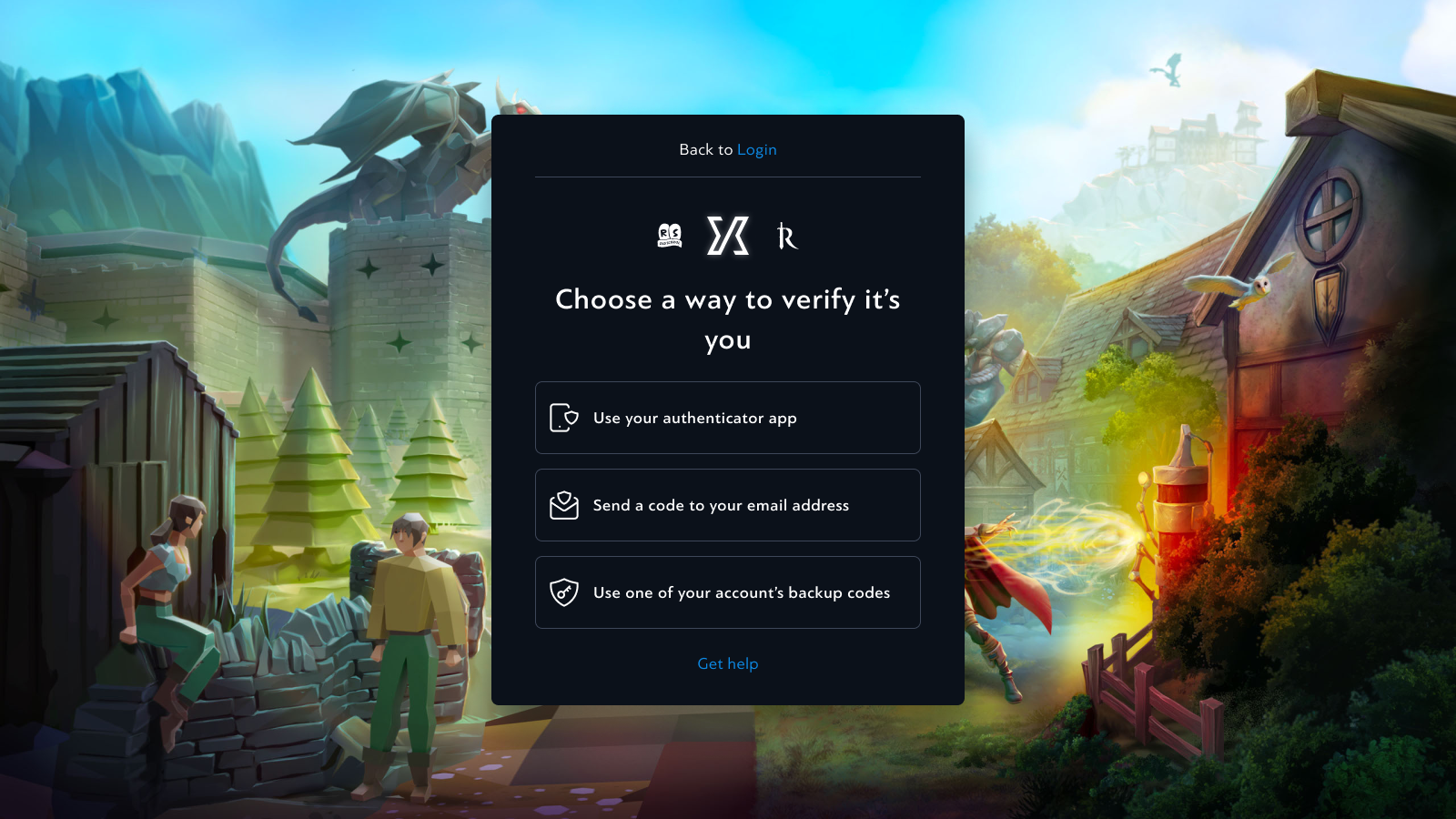
The next step is to authenticate your Jagex Account in the Jagex Launcher – of course, you’ll need to download it if you haven’t already. Once you’re logged in you can choose your character and get adventuring! You’ll also be able to import any other characters you have and secure them all on your new Jagex Account.
Feeling lost? Don’t worry. We’ll share instructional videos for every new stage of the beta in our newsposts and across social media to help you follow along.
The duration of the Closed Beta will depend entirely on the feedback we're getting. When we're satisfied that the participants are happy with the Jagex Account system, we'll open the Beta up to everybody - but it all hinges on how much needs changing during these initial stages.
This phased release strategy helps us make sure everything is stable, easy-to-use and working as intended, so that all of you can reap the benefits of Jagex Accounts as soon as possible.
FAQs
Some of you might have additional questions that aren't answered above, or be looking for an answer to something a little more specific that we didn't include. Click the drop-down below to see a list of frequently-asked questions that might have what you're looking for. If you still can't find what you're after, get in touch with us using the links at the end of the post!
Click here for the FAQs
- What's the difference between the Jagex Launcher and the Jagex Accounts system?
The launcher provides game delivery and updating functions and acts as an element of our security solution by enabling Authentication requests (Logins). The Jagex Account System is best viewed as the rules that the login process works with. The Launcher can be used with RuneScape accounts or Jagex accounts.
- Will we be able to log into multiple characters at once?
Yes, the launcher lets you run multiple game clients simultaneously. Simply choose a different character for each client and you can play them at the same time.
- Will I be able to have multiple Jagex accounts simultaneously logged into the launcher?
At launch we are not looking to support logging into the Launcher with multiple Jagex Accounts, the point of the Jagex account is that you will never need more than one. If you run out of character slots, tell us! We’re looking for feedback on whether the number of slots we’re offering is correct for most players.
- Will I have to participate in the Beta?
The Open Beta release is optional for all players. You are not in any way required to participate in this phase, though we really hope you will! Whilst there is no obligation to be involved now, we want your voice to be heard.
- What is the Jagex Account Name?
The Jagex Account Name is what we will use when communicating with you as the player. It’s not meant to be a secret and isn’t used to log in or to recover your account. It doesn’t need to be unique, we will append a random number (#Discord style) at the end of your Jagex display name. So, the name you give yourself does not have to be unique.
- What is the full password policy for Jagex Accounts?
The minimum password length must be 8 characters with maximum set to 64. Any symbols, combination of numbers and capital letters are allowed, but the password must meet a minimum strength 3 (out of a possible 4) according to the Zxcvbn standard, and we will inform you when you’re registering your account if your password is not meeting these requirements.
- How will character recovery work?
Characters that are imported to a Jagex Account will no longer be recoverable using the RuneScape account recovery system. You’ll be able to choose which security features are enabled on your account. By default, log in verification and recovery is possible with access to your email. You can choose to switch to app-based MFA, which will require the code from the app or one of the backup codes provided when you set it up to remove.
- Can one character be linked to two separate Jagex Accounts, and can I share a RuneScape character between multiple Jagex Accounts?
It's a no to both of these questions. We'd like to remind you that account sharing is against the Rules of RuneScape, though we're aware that sharing does occur. Sharing access to your characters represents an account security risk, and so Jagex Accounts doesn't allow for it to occur.
- How does it work together with mobile?
When logging in on mobile using a Jagex Account, you’ll see an extra screen to choose which character to use for that session. That character will be remembered by the game, so you do not need to log in again if you want to keep using it for future game sessions. If you want to switch characters, you’ll need to log out and log in again, choosing the other character you want to use. We are aware this isn’t ideal and will be working to improve it once Jagex Accounts are available to players.
- How will this work with Steam or Twitch linking?
At launch, Steam and Twitch (Amazon Prime) linking will continue to operate at the character level. This also applies to your other identity providers as well (Apple sign-in, Google Sign-in and Game Center). This means that if you choose those methods to log in, you will access the character that it’s linked to, but only that character. You will have to log directly into your Jagex Account to gain access to the other characters. With regards to Prime Gaming rewards, the rewards will continue to be applied to the character that your Amazon account is linked with, not every character under the Jagex account. We are currently investigating the linkage of a Jagex account to a 3rd party identity covering all characters on that account. More on this topic in a future update.
- We’ve had several questions on the topic summarised in the following question - If someone adds a hijacked character to a Jagex Account, what happens?
Player Support will have tools available to assist in cases where RuneScape accounts are hijacked and imported to the wrong Jagex Account. Once the correct owner of the character has been verified, they will be able to import it to their own Jagex Account.
- Is there some type of authentication when linking characters?
To import an existing character, you need to be able to log in to it. This requires that you know the login and password and can provide the RS Authenticator code if it’s enabled on the account.
- Each account is a separate attack vector, so you are planning on limiting the attack vectors down to 1, and secure it more than it currently is?
Perfectly correct. We reduce the attack vectors to one and make it more secure. We will also remove human judgement to the account recovery system.
- Will Jagex Accounts be able to be used in conjunction with password managers?
We encourage all players to make use of a password manager. When logging in to our games on mobile and the RS / OS websites you will be able to use the auto-fill functionality of your password manger to easily access your account. We’re also exploring if we can support this in the Jagex Launcher but that will not be a feature we have when Jagex accounts are released.
- Can Jagex Account name and character name be the same?
Yep.
- Will Jagex accounts be available for both Mac and PC?
Yes, the launcher is already available for both macOS and Windows fromhttps://www.jagex.com/launcher . Jagex accounts are not restricted to any specific operating system.
- Does the new system support Oauth for 3rd party fan site authentication?
At launch, there is no way for OAuth2 credentials to be safely shared outside of Jagex owned systems (i.e., publicly). This is something that’s being thought about, watch this space for plans in this area.
- Will the remembered sessions bypass your 2FA similar to how mobile/Steam logins can?
Yes, the session token will not need 2FA every time you log in. Your second authentication mechanism will be required when you need to enter your credentials: either for a new device or when the session token has expired/does not exist.
- Can the Jagex Account name be changed if you want to?
The Jagex Account name can be changed in the Jagex Account Management page.
- Will the launcher have any sensitive info that can accidently be streamed on platforms like Twitch?
We do not recommend logging into the Launcher for the first time on stream, as this process will ask for your email address, which is information you are not likely to want to share with members of the public you don’t know. Subsequent uses of the launcher (provided you play regularly within a 30-day period) will not prompt you to log in again and will simply remember your session from last time. The recommendation will be to log into the launcher for the first-time off stream, then subsequent streams show you using your remember session instead. The launcher UI itself only shows publicly known information or information not considered sensitive, such as your Characters’ display names or your Jagex Account name (neither of which are used to log in).
- Can friends list, interfaces, etc. be shared through all account characters or will these remain individual?
These will remain individual to the character for now.
- What’s the relationship between emails, Jagex Account Names and Character names?
Character Names, Jagex Account names and the Jagex Account login email address are separate from each other. You can change the Jagex display name and the verified login email address through the Jagex Account management page. Changing the email address will require you to verify the new email address. The functionality to change your RuneScape character name remains as it is currently. For more info, check back over the terms outlines in the post!
- Will Jagex accounts require one membership per Character?
All purchases including memberships, are made at the Character level. As such it is one membership per character for both games.
- Will the launcher be required to play using a Jagex account?
The launcher will be required to play on desktop. We are interested to know if there are any improvements that we could make to the experience of getting into games via the launcher. Please try it now by downloading the launcher fromhttps://www.jagex.com/launcher and let us know what you think.
- Will “iron” status be finalised directly in the client?
Iron man status is a character level status and will continue to be added as normal when you play the game with that character for the first time.
- Are sanctions such as a mute or a ban applied at the account or character level?
At launch, sanctions will continue to be applied at the character level. We will review this policy over time as usage of the system increases. We do foresee the need for this to be implementable at the Jagex account level in some circumstances. Player Support will have the ability to do this at launch if needed.
- Can you play on a mobile phone whilst playing on a pc using to the same Jagex Account?
Jagex Accounts can be logged into Mobile and Desktop at the same time. Obviously, you will not be able to play the same character simultaneously on different devices. It will enable you to play two different characters simultaneously though.
- Will there be support for Linux?
There will not be launcher support for Linux directly. However we will put together an article with details of how Linux users can continue to play if they have a Jagex account. For now, if you only play on Linux you should keep using the old RuneScape account process.
That's all we have right now, we'll keep you updated as we make changes to the system and when we enter new phases of our staggered release.